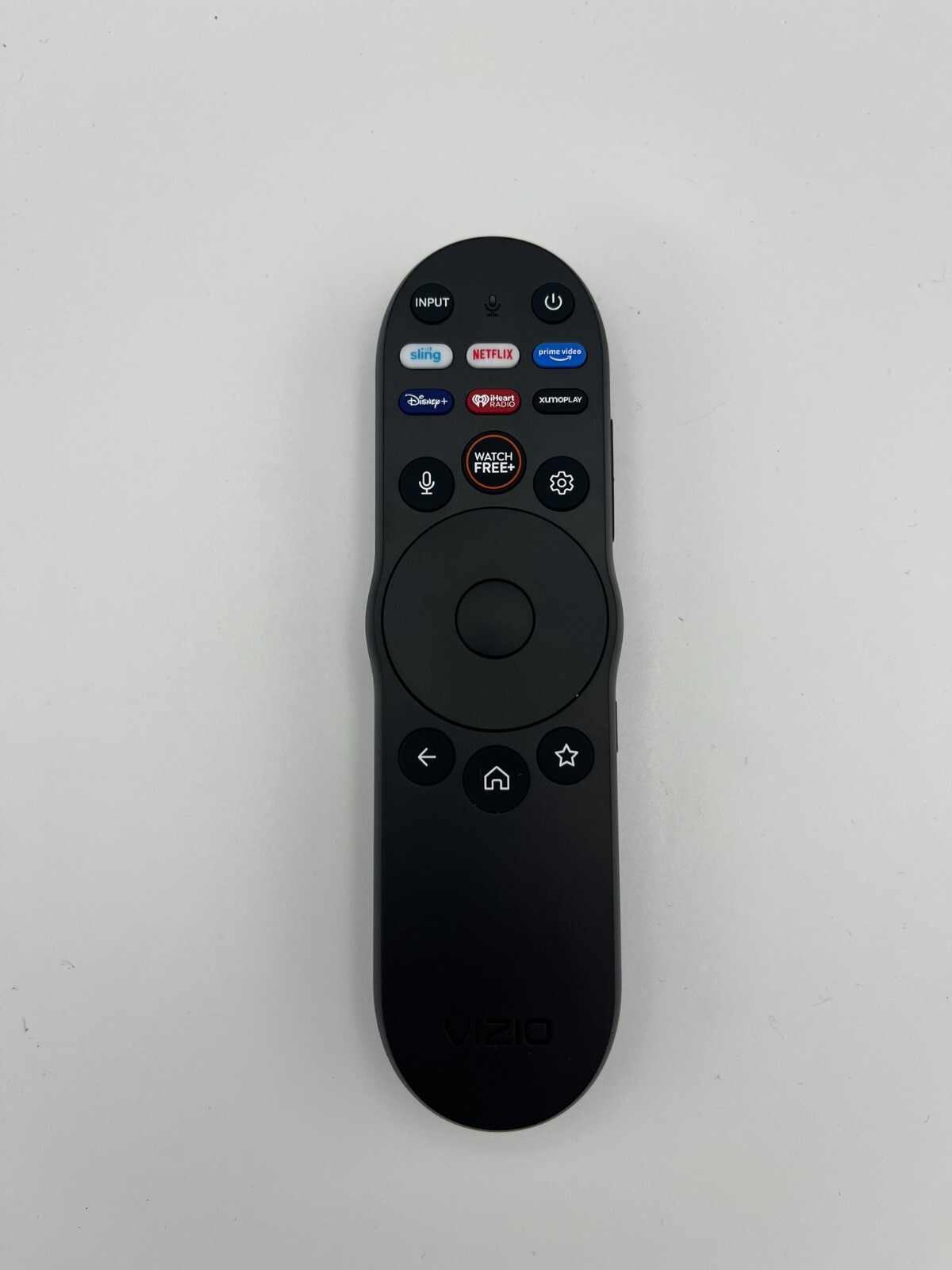
Original Vizio TV remote control XRT260. ⚠️️ Voice search
function!!⚠️️USD $18.99
Condition : New
Free Shipping
{{variant_type_name}} :

Notify me when the price drops
We will email you if we find a lower price on this product!
Original Replacement Vizio XRT260 Bluetooth Voice Control remote works for Vizio SMART TV that has Voice Recognition and Voice Control function. Bluetooth technology gives people more freedom to control the TV without pointing to the TV.
👍👍Push-to-talk voice button. Quick search for content, launch apps, and more.
👍👍Bluetooth easy control TV from anywhere.👍👍Fewer buttons, more control, quick access.
2 AAA batteries are required, and batteries are not included.
Compatible with the following TV models: V435-J01, V505-J01, V505-J09, V555-J01, V585-J01, V655-J04, V655-J09, V705-J01, V705-J03, V706-J03, V755-J04, V756-J03, M43Q6-J04, M50Q6-J01, M50Q7-J01, M55Q6-J01, M55Q7-J01, M58Q70J01, M65Q6-J09, M65Q7-J01, M70Q6-J03, M70Q7-J03, M75Q6-J03, M75Q7-J03, P65Q9-J01, P75Q9-J01, P85QX-J01
Pairing Voice Remote instructions: 1. Insert 2 new AAA batteries by sliding the back cover off. 2. Turn on your Vizio TV by pressing the power button. 3. Press the Settings button then press System. 4. Use downward arrow scroll to Voice Remote and press OK. 5. Pair New Remote, press the OK button. 6. TV is searching for Voice Remote, then Press Microphone and Mute buttons for 5 seconds, until the light on the remote starts to flash. Press the OK button, then press the Home-button. 7. Now you should have full control of the remote. 8. Repeat the entire process if the TV and the remote are not paired.
👍👍Push-to-talk voice button. Quick search for content, launch apps, and more.
👍👍Bluetooth easy control TV from anywhere.👍👍Fewer buttons, more control, quick access.
2 AAA batteries are required, and batteries are not included.
Compatible with the following TV models: V435-J01, V505-J01, V505-J09, V555-J01, V585-J01, V655-J04, V655-J09, V705-J01, V705-J03, V706-J03, V755-J04, V756-J03, M43Q6-J04, M50Q6-J01, M50Q7-J01, M55Q6-J01, M55Q7-J01, M58Q70J01, M65Q6-J09, M65Q7-J01, M70Q6-J03, M70Q7-J03, M75Q6-J03, M75Q7-J03, P65Q9-J01, P75Q9-J01, P85QX-J01
Pairing Voice Remote instructions: 1. Insert 2 new AAA batteries by sliding the back cover off. 2. Turn on your Vizio TV by pressing the power button. 3. Press the Settings button then press System. 4. Use downward arrow scroll to Voice Remote and press OK. 5. Pair New Remote, press the OK button. 6. TV is searching for Voice Remote, then Press Microphone and Mute buttons for 5 seconds, until the light on the remote starts to flash. Press the OK button, then press the Home-button. 7. Now you should have full control of the remote. 8. Repeat the entire process if the TV and the remote are not paired.

Price type
IN STOCK
OUT STOCK





 .
.
